Inspect a part.
Review the evidence.
A working STL and GLB inspector with measurements, sections, numbered change requests and captured views. This packet records what has been checked and what remains before public submission.
Deployed · Host verification in progressActual ChatGPT results
The tool returned correct STL and GLB geometry, handled inch-authored source units, and rejected a damaged attachment. A user observation confirms a blue inch cube rendered with enabled controls. Cached UI required a development-plugin refresh. Full host acceptance is still incomplete.
| Case | Expected result | Observed evidence |
|---|---|---|
| P1 · STL | 20 × 30 × 40 mm, 12 triangles, explicit STL mm assumption. | Actual tool pass. Fresh file-viewer entrance remains to check. |
| P2 · GLB | Normalize metre/Y-up to millimetre/Z-up once. | Actual tool and standalone viewer pass. Host GLB rendering remains to check. |
| P3 · Source units | Inch-authored unit cube is 25.4 mm on each axis. | Actual tool and rendered host cube confirmed. Display/source behavior checked in the standalone viewer. |
| P4 · Build volume | Authored Y exceeds by 10 mm; 90° Z alternative fits. | Actual host tool recheck passed. Authored excess [0,10,0] mm; rotated excess [0,0,0] mm. Automated and standalone pass. |
| P5 · Mark and share | 20 mm measurement, section, visible pin and genuine model-visible PNG. | Host sharing pending. Standalone picking/capture and adapter failure/retry contracts pass. |
| N1 · CAD/printing | Explain inspection scope; no code execution or print job. | Actual direct host refusal. No execution, edit or printer action occurred. |
| N2 · File boundaries | Reject arbitrary filesystem and private-network access. | Actual direct host refusal and protocol boundary tests pass. No arbitrary file/network access occurred. |
| N3 · Damaged file | Bounded parse error, no invented geometry, recovery instruction. | Actual ChatGPT rejection and standalone recovery pass. |
Built viewer walkthrough
This recording demonstrates actual standalone viewer interaction with owned fixtures. It does not demonstrate ChatGPT's file entrance, CSP enforcement or image sharing. A host walkthrough remains required before review submission.
Read the walkthrough transcript
- Open the owned 20 × 30 × 40 mm, 12-triangle STL fixture. STL defaults to disclosed millimetres.
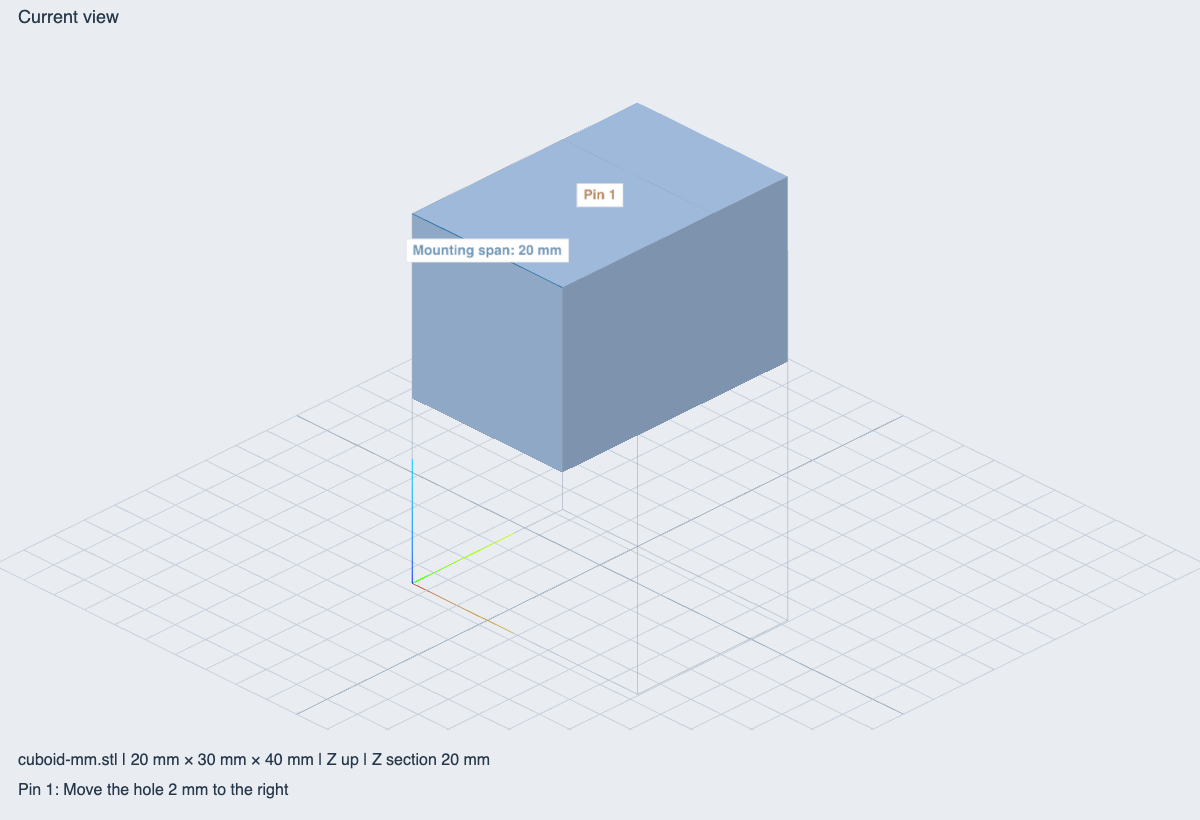
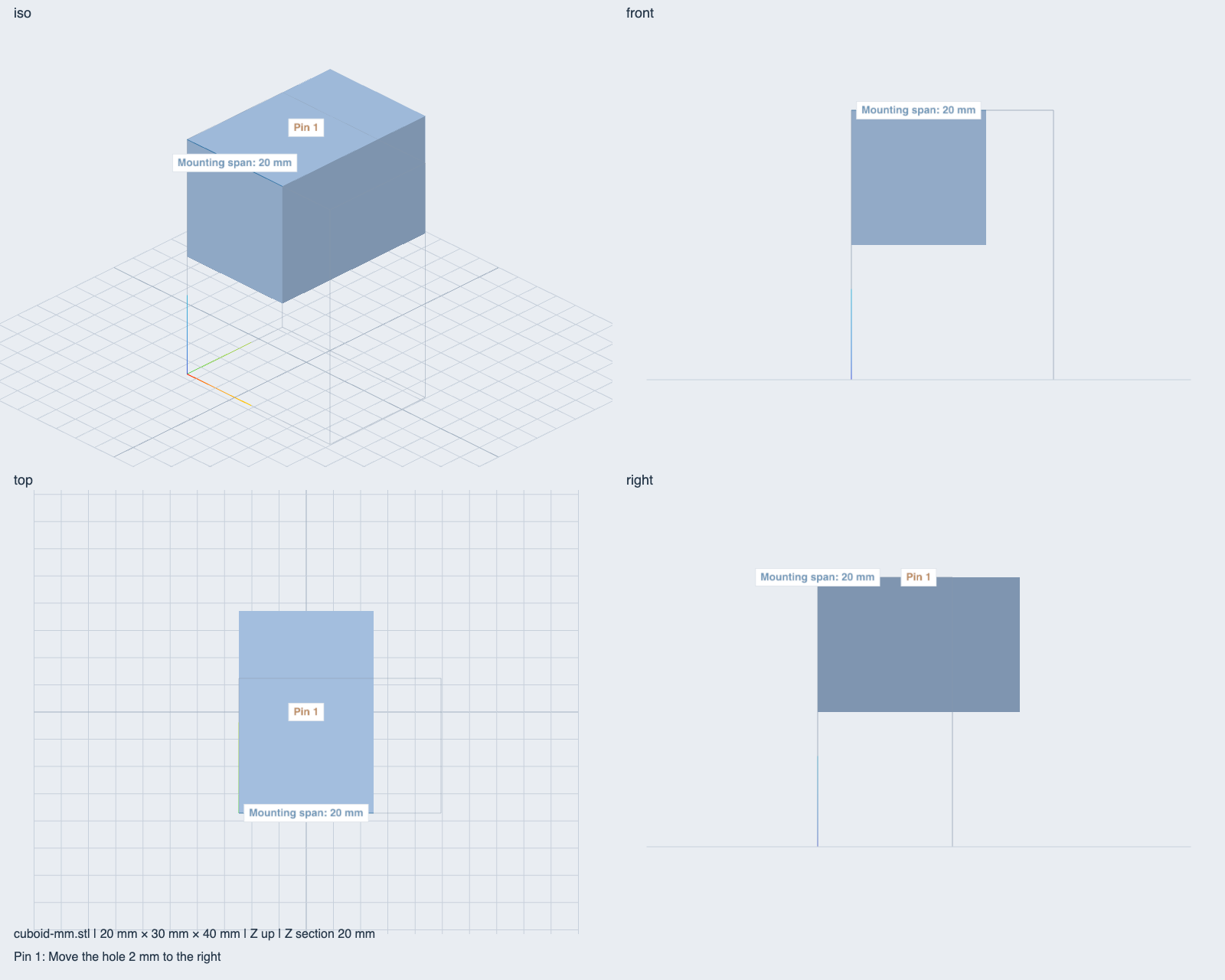
- Select Top and orthographic projection. Pick the two known corner endpoints and rename the 20 mm measurement Mounting span.
- Apply a 30 × 20 × 40 mm custom volume. Authored Y exceeds by 10 mm; a 90° Z alternative fits. This is bounding-box advice.
- Enable a Z section at 20 mm. Add pin 1 with the request “Move the hole 2 mm to the right” and switch to Isometric.
- Export current-view and four-view PNGs. Visible markup is retained and the working camera is restored.
- Interpret STL source coordinates as inches. The physical geometry rescales and stale measurements/pins clear. Display units only format values.
- Open the self-contained GLB. Metre/Y-up coordinates normalize to the known millimetre/Z-up dimensions.
- Open a truncated STL. Its error includes re-export guidance and the previous valid model remains visible.
- Inspect a narrow viewport. Native ChatGPT mobile integration remains unverified.
Owned review attachments
Download a fixture and attach it in ChatGPT. The tool accepts a host-authorized file capability, rather than an arbitrary public URL.
- STL cuboid, 20 × 30 × 40 mm
- Equivalent self-contained metre/Y-up GLB
- Inch-authored unit cube STL
- GLB with an embedded texture
- Intentionally damaged STL for recovery testing
To write a request, choose Mark a change in the widget header. Type in Pin request, choose Place a pin, click the model surface, then choose Share view with ChatGPT.
MCP endpoint: https://loom3d.kylebegeman.com/mcp. No plugin account is needed. In the private development connection, refresh tools after deployment and reload or invoke a fresh widget so cached UI and CSP are updated.
Before public submission
Complete host file-viewer, GLB render, pointer/fullscreen, CSP-on and genuine image-context checks, then record all eight outcomes and a host walkthrough. Unknown download origins currently fail explicitly while exact legitimate origins are verified.
The intended OpenAI organization/project, verified individual publisher, submission permission and domain challenge remain unverified. Country availability and policy attestations must be confirmed in the portal. Public submission and publication have not occurred and require the publisher's applicable authorization.